How to Download GotoMeeting Video

Recommended for Capturing GotoMeeting™ Video:

Learn more about Replay Video Capture

Replay Video Capture

Replay Video Capture is the best way to capture your GotoMeeting chats and webinars as a video file. Replay Video Capture lets you record any screen rectangle as a video file. Use an audio input from your phone to the mic or line-in ports to add audio, and you've got a full video of any meeting.

Replay Video Capture is the easy way to capture anything you see on your PC screen and turn it into a high quality video movie file. It's a great way to make personal copies of ANY video that you can see on your PC's screen - especially ones that cannot be captured with other tools.

Try Replay Video Capture free today!

More Info      Download a free demo of Replay Video Capture

Download, Record and Convert ANYTHING with the Replay Capture Suite

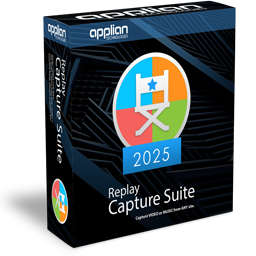
If you're looking for a complete suite of software tools to record ANY internet video or audio, check out the Replay Capture Suite. This collection of all Applian products gives you the power to capture and convert anything you can see or hear from the web.

More Info


More Information

Learn how to Download Video from other popular sites and services.


About GotoMeeting™

Go to the GotoMeeting web site.

Legal note: Applian Technologies is not affiliated with GotoMeeting, nor the company that owns the trademark rights to GotoMeeting. This page is provided for compatibility purposes only, and in no case should be considered an endorsement of Applian products by any associated third party.

Keywords

  • Download GotoMeeting Video
  • Capture GotoMeeting Video
  • Record GotoMeeting Video
  • Rip GotoMeeting Video
  • Save GotoMeeting Video

ID: 103
Download YouTube Videos YouTube Converter FLV Player Media Converter Video Downloader Audio Recorder Skype Recorder Stream Recording Links